Playbook for brands · Updated October 2026
How to start and run a UGC program
A UGC program is a group of creators posting short videos for your brand every week, paid a small base per video plus a rate per 1,000 views. Post the first videos yourself until one format works, then hand it to 5 to 10 creators posting three times a week at around $15 a video plus $1 per 1,000 views. Test everyone in a paid trial, and track every video so the budget follows the winners.
Looking to join a program as a creator? See open UGC creator jobs
Program calendar · illustration
video breakout
- Start with
- Your own videos, then 5 to 10 creators
- Each posts
- 3 videos a week
- Pay
- $15 a video + $1 per 1,000 views
- Views count for
- 7 days after posting
Step 1
Post it yourself before you hire anyone
Spend the first two to four weeks posting yourself, on a new account for your brand, before you pay a single creator. Nobody knows the product better, every video is free, and you can test a new hook every day. When one format keeps beating your average, write it down: that page becomes the brief you hand to creators, who repeat it at volume in their own voices.
- Copy what already works in your niche: save 20 to 30 videos from competitors and neighboring apps, score them, and film your versions first (how to find viral formats).
- Write the winner down: the hook, the first frame, the beats and the call to action.
- Then hand it over: Osta, a recipe-saving app, grew on its founder's recipe videos, then started an ambassador wave in which a few accounts repeated one template at scale (Social Growth Engineers). Deepstash reached about 200K monthly downloads leaning mostly on founder-led videos (breakdown).
- Know when to switch: founder videos win when trust and product knowledge matter; creators win when you need volume and many voices. Most programs run both.
Step 2
Pick the kind of program
Decide who posts and where, because it sets everything else: who you recruit, how you pay and how many videos you get. For most apps the answer is Canvas UGC: creators run new accounts made for your brand and post several times a week, so followers don't matter and every video is a new test (how Canvas UGC works). Add creators on their own accounts when you want their audience's trust, and UGC ad batches when your paid social team needs creative.
Whatever you pick, plan for volume. Organic feeds reward it: 30 videos give the algorithm 30 chances to find your buyers, 3 give it 3, and a few breakouts carry most of the month's views.
| Program | Who posts | Followers | Volume | Pay | Best for |
|---|---|---|---|---|---|
| Canvas UGC | Creators post on accounts made for your brand | None | 3 to 7 videos a week per creator | Small base per video plus pay per 1,000 views | Apps and brands that want organic reach and constant creative testing |
| Creators on their own accounts | Creators post to their own followers | Some, ideally in your niche | 1 to 4 videos a month per creator | Per post, often with per-view pay or bonuses | Borrowing trust from a creator's audience |
| UGC ads | Creators send video files; you run them as ads | None | Batches of 3 to 10 videos with hook variations | A flat price per video, plus usage rights | Feeding paid social with new creative |
| Affiliate or ambassador | Users and fans post when they want to | Any | Unpredictable | Commission per sale or signup, a monthly stipend, or perks | Tight budgets and products people already love |
Step 3
Set pay that rewards the winners
Pay a small base for every compliant video plus a rate per 1,000 views. The base covers the work and keeps creators posting on schedule; the view rate sends your budget to the videos that travel. Live jobs on viral.app pay a median of $15 a video and $1 per 1,000 views.
Six rules keep it predictable:
- Count views for 7 days after posting. About 85% of a video's lifetime views arrive in the first week, so a longer window mostly pays for noise. Go to 14 or 30 days only when keeping creators matters more.
- Cap every video: at $1 per 1,000 views, a 5 million view video costs $5,000. A cap at 1 million views keeps it at $1,000.
- Cap every creator per cycle, for example at $2,500 to $5,000, so several hits in the same month can't blow the budget.
- Set a view minimum before a video earns its base, for example 200 views, so empty uploads don't get paid.
- Match bonus thresholds to your audience: for a niche product 15,000 views from the right people is a win; a broad consumer app should set the bar higher.
- Count views from your tracking, not from screenshots creators send in.
When a video's views arrive
- Share of lifetime views, by day since posting
- Counted for pay: the first 7 days
What one video earns as its views grow
- Base $15 + $1 per 1,000 views, capped at 1M views
- Milestone ladder: $20 base, $40 at 10K up to $1,000 at 1M
At 100K views: $115 per view, $270 on the ladderAt 1M views: $1,015 per view, $1,020 on the ladder
| Pay model | How it works | Good | Watch out |
|---|---|---|---|
| Flat fee per video | One price per finished video | Simple, predictable | You pay the same for a flop and a hit |
| Base per video | A small amount for every compliant video | Keeps creators posting on schedule | Pays volume, not results, on its own |
| Pay per 1,000 views | A rate for every 1,000 views, with a cap per video | Spend follows performance, no dead zones | Low earnings early can push good creators away |
| View bonus | A fixed amount when a video passes a milestone | Clear targets creators aim for | Nothing between milestones |
| Monthly retainer | A guaranteed amount for the month | Keeps your best creators | Fixed cost whatever the results |
| Affiliate commission | A share of each sale or signup | Pay only for revenue | Few creators commit to steady posting for it |
What programs pay, by who published it
| Source | Program | Pay |
|---|---|---|
| viral.app job board (live jobs today) | Canvas UGC and creator-posted jobs | $15 a video and $1 per 1,000 views at the median; top view bonus $280; retainers $500 a month |
| Wonsulting (career coaching), program page | Creators post 3 to 4 videos a week | $20 a video, view bonuses from $40 at 10K to $1,000 at 1M views, 15% commission on sign-ups |
| Ask Maeve (study app), program page | New accounts made for the brand | A fixed fee per video plus per-view bonuses, after a paid 5-video test; paid within 72 hours |
| Jenni AI (writing app), viral.app case study | Students who already use the app | $1 per 1,000 views, no base; passed 1 billion organic views |
| Blank Canvas UGC (agency), price page | 8 creators on brand-owned accounts | $12,000 a month for 480 videos, about $25 a video all in |
| Launchpoint pricing guide (Jun 2026) | Canvas UGC | $20 to $40 base per post, view bonuses at about $3 to $5 per 1,000 views |
| Collabstr 2026 report (marketplace data) | One-off UGC videos | $154 per deal on average; 80% of deals under $300 |
Sources: Wonsulting, Ask Maeve, Jenni AI case study, Blank Canvas UGC, Launchpoint, Collabstr. Read October 2026.
Step 4
Plan the budget
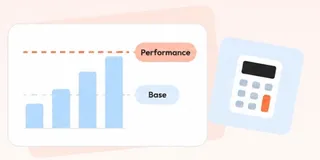
Your monthly cost is creators × videos × base pay, plus pay per 1,000 views on the views they get, plus the tools and payout fees. Move the sliders to your plan; the defaults are today's median pay on live jobs. The number that matters is cost per 1,000 views: compare it with what the same reach costs in paid ads. Base pay moves it most, which is why Jenni AI, paying only per view, kept its blended cost under $1 per 1,000 views.
Monthly program budget
$2,509
for 130 videos and 390,000 views
- Base pay
- $1,950
- Pay per 1,000 views
- $390
- viral.app Pro plan
- $99
- Payout fee (3%)
- $70
Cost per 1,000 views$6.43
The same views as ads at a $10 CPM: $3,900
What other routes cost
| Program | Budget | What you get | Source |
|---|---|---|---|
| In-house Canvas program | About $2,510 a month | 130 videos from 10 creators, at today's median pay (planner defaults) | This page's planner |
| Test month of UGC ads | $1,500 to $3,000 | 5 to 10 videos from 3 to 5 creators | InfluencerFee, quoted in Google's AI Overview |
| Ongoing UGC ads | $3,000 to $8,000 a month | 10 to 20 videos a month | InfluencerFee |
| Full creative pipeline | $8,000 to $25,000+ a month | 40 to 80 videos a month | InfluencerFee |
| Managed daily-posting program | $10,000 to $30,000+ a month | Daily posts on brand accounts, usually on a 90-day commitment | Agency price lists |
Step 5
Find creators when you have none
Post the job where creators already look for work, with the pay written in the post. A clear job with pay gets applications within days; a vague "DM us" post gets ghosted. Pair one place creators apply with some searching of your own:
- A UGC job board: viral.app's job board lists your job publicly and shows the pay before creators apply.
- Your own users: the people already using your app make the most believable videos. Ask in your app, newsletter and community.
- Students: campus job boards and student clubs work for apps with a young audience. Jenni AI, an AI writing app, recruited students who already used it, paid $1 per 1,000 views and passed a billion organic views (the breakdown).
- Reddit: brands post paid UGC jobs in r/UGCcreators and r/techugc.
- Marketplaces and agencies: compare them on ugc-platforms.com and ugc-agencies.com.
Job post
- What you'll make: 3 short videos a week for [app], on a new TikTok account for the brand
- Pay: $[base] per video plus $[rate] per 1,000 views in the first 7 days, paid every two weeks
- Who it's for: creators in [country], [language], no followers needed
- What it takes: about [hours] hours a week, a recent phone, one short test video
- How to apply: 2 or 3 sample videos and one idea for our app
Outreach message
- Hi [name], loved your [video] about [topic].
- We're [app] and pay creators $[base] a video plus $[rate] per 1,000 views to post about it.
- Want the brief? It's 3 videos a week, no followers needed.
Step 6
Test before you hire, and spot fake views
Never hire from a profile alone. Give every applicant a small task, then run a short paid trial with the ones who pass.
- Sample task: a 4-second reaction clip and a short voiceover, due within 48 hours. Someone who can't return that in two days won't keep up with a weekly schedule.
- Paid trial: 1 to 2 weeks on a few briefs, paid like the real job. Judge reliability, progress from video to video, native delivery and how fast they take feedback.
- Fake views: compare views with likes and comments (real videos get comments), look for sudden spikes on old posts, and check that comments come from real accounts. Count views from tracked public posts, not screenshots.
- Scorecard: rate creative quality, reliability, coachability and early results, and keep the top half.
Trial scorecard
- Creative: hook in the first 2 seconds, clear demo, natural delivery (1 to 5)
- Reliability: on time, every time; replies the same day (1 to 5)
- Coachability: applies feedback in the next video (1 to 5)
- Early results: views and comments against your account average (1 to 5)
Step 7
Brief for volume, not for one perfect video
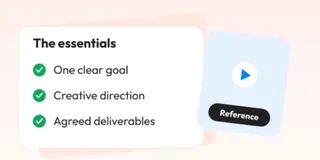
Write one short brief per format and reuse it across creators: the hook family and first frame, the beats, the visuals and call to action, and a clear line between fixed rules (claims, CTA text) and the creator's own choices. Add 10 to 15 example videos to study, and say which stage each video is for: top of funnel videos win on story and the first 2 seconds, bottom of funnel videos on a clear demo.
- A group chat for creators, where they share what's working and flag competitor videos, spreads winning hooks faster than any brief.
- Approve hooks before filming, not finished videos after, so feedback costs minutes instead of reshoots.
Brief
- Product: [app] helps [audience] [do one thing]
- Audience, in plain words: [who they are and what they struggle with]
- Hook family and first frame: [hook 1], [hook 2], [hook 3]
- Beats: hook, problem, product on screen, result, call to action; 15 to 30 seconds, vertical, captions on
- Fixed: [claims you can and can't make], [CTA text]. Your call: the words, setting and delivery
- Study first: [10 to 15 example videos]
- Stage: [top of funnel: story and reach] or [bottom of funnel: demo and signups]
- Post: [account], [days]; views count for 7 days
Step 8
Track every video and move budget weekly
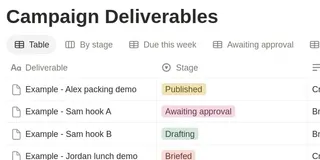
Track every video's views, per creator and per format, from public post data that updates on its own, and run the same week every week (below). Two things keep the numbers honest:
- Measure customers, not just views: track installs or signups through links and promo codes. Motion, a productivity app, saw an 800K-view video bring no paying customers and a 40K-view video bring 12 (Motion).
- Refresh formats when they tire, often after 4 to 6 months: build new angles from why retained users stayed.
The weekly rhythm
- MonReview last week, pick 2 or 3 things to test, publish updated briefs
- TueApprove hooks before filming and answer product questions
- Wed to ThuCreators film and post in batches; tag what goes live
- FriTie results to briefs: more briefs for the top creators, drop anyone at the bottom three weeks running

Step 9
Pay on time, every period
Pick a cycle (weekly, every two weeks or monthly), review each period's videos against your rules, approve and pay. On time payment is what keeps good creators in a program. Collect tax details before the first payout.
- US creators: collect a W-9. For payments made in 2026, send a 1099-NEC to anyone you pay $2,000 or more in the year (it was $600); 2026 forms are due February 1, 2027 (IRS). Payments through card networks or PayPal-type services are reported by the processor on a 1099-K instead.
- Creators abroad: collect a W-8BEN. Work done outside the US generally isn't US income, so no 1099 is needed.
- One place for pay rules, tracking and payouts: viral.app calculates each period's pay from the tracked views and creators claim it by bank transfer, PayPal, Venmo or USDC.
Contracts
Usage rights, Spark Ads and account ownership
Agree these before the first video. Organic posting on your own accounts is covered by the base pay; running a video as an ad is a separate right with its own price and end date.
| Right | What to agree | Typical |
|---|---|---|
| Posting on brand accounts | Who owns the account, its logins and its videos when a creator leaves | The brand owns the account; posting is covered by the base pay |
| Paid ads use | Which platforms, and for how long | +20% to 50% of the base for 30 to 90 days; +100% to 150% for perpetual use (vendor guides) |
| TikTok Spark Ads | How long the creator's authorization code lasts | 7, 30, 60 or 365 days (TikTok Ads help center) |
| Meta partnership ads | An end date, written into the contract | The permission has no built-in expiry (Meta developer docs) |
| Whitelisting (ads from the creator's own handle) | Duration and spend limit | About 25% to 30% of the base per 30 days (vendor guides) |
Sources: TikTok Spark Ads, Meta partnership ads; add-on prices from creator marketplaces' rate guides.
Who runs it
UGC agency or in-house: which is better for a small startup?
In-house costs far less and teaches you what works, if someone can give it a few hours a week. An agency buys you time at a price. Agency prices come from our agency comparison.
| Way to run it | Cost | Control | Speed | Best for |
|---|---|---|---|---|
| In-house with a platform | Creator pay plus a tool, from about $100 a month | Full: you pick creators, pay and briefs | First videos in 1 to 2 weeks | Teams willing to spend a few hours a week running it |
| Agency | $150 to $500 a video, or $2.5k to $60k+ a month | Shared: the agency manages creators | Depends on onboarding, often 2 to 4 weeks | Teams with budget and no time |
| Spreadsheet and DMs | Your time | Full, until it breaks | Fast for a handful of creators | A pilot with up to about 10 creators |
Tools
Tools to run a creator program
viral.app
Job board, view tracking for every video, pay rules and payouts in one place, for programs of any size.
Billo and Insense
Marketplaces for ad-ready videos when your paid social team needs creative.
Collabstr
Creators sell priced packages, useful for one-off posts on their own accounts.
Free Notion templates plus PayPal
Seven brand-side templates from viral.app (brief, tracker, report, pay budget planner, hook tests, account audit, Canvas UGC launch kit) run a pilot with up to about 10 creators; most programs outgrow them between 10 and 20.
Timeline
Your first 90 days
- Weeks 0 to 3You postJust youPost yourself on a new brand account until one format keeps beating your average. Write it down as your first brief.
- Days 1 to 30Control5 to 10 creators on trialPost the job, run 48-hour sample tasks, start 5 to 10 creators on a paid trial, and set up scorecards and briefs for the top and bottom of the funnel.
- Days 31 to 60LearningThe best half staysKeep the best half, build a brief library from what wins, and start a weekly group call plus short one-to-ones.
- Days 61 to 90Scale20 to 30+ creatorsSort creators into trial, active and retainer, move the top 10 to 20% to monthly retainers, and grow to 20 to 30+ creators.
FAQ
Questions brands ask
How do I start a UGC program when I don't have any creators yet?
Post the first videos yourself until one format works, then post a paid job with the pay written in it on a UGC job board and ask your own users. Give applicants a 48-hour test video, start 5 to 10 of them on a 1 to 2 week paid trial at around $15 a video plus $1 per 1,000 views, and keep the best half.
Should founders post the first videos themselves?
Yes, for the first few weeks. A founder knows the product best, can test a new hook every day and pays nothing per video. Once a format keeps working, write it down as a brief and hand it to creators, who repeat it at a volume one person can't.
What's the cheapest way for a startup to get creators posting about its app?
Find a working format by posting yourself, then pay mostly for performance: a small base per video and a rate per 1,000 views, so a flop costs only its base. Start with your own users and students, who post for less than professional creators, and track every video so you stop paying for what doesn't work.
How much does a UGC creator program cost?
It scales with creators and videos. 10 creators posting three videos a week at $15 a video plus $1 per 1,000 views comes to about $2,510 a month for 130 videos, with the tool and payout fees. Agencies and managed programs quote $3,000 to $30,000+ a month. Use the budget planner on this page with your own numbers.
How many creators do I need to start a UGC program?
Five to 10 on a paid trial is enough to learn what works. Grow to 20 to 30+ once you have formats that win, and plan for tracking and briefs that don't live in DMs: most programs stall between 10 and 20 creators on spreadsheets.
Should I pay UGC creators per view or a flat fee?
For organic posting, combine them: a small base per video (about $15 on live jobs) plus a rate per 1,000 views (about $1), with a cap per video and per creator. Flat fees suit ad videos you buy as finished files, where you pay for the asset rather than its reach.
How do I run a campaign where creators only get paid for views?
Set a rate per 1,000 views (live jobs pay $1 at the median), count views for 7 days after posting, cap each video and each creator per cycle, and count views from tracked public posts. Pure per-view deals work best with creators already posting in your niche, like Jenni AI's student users; for steady volume, add a small base per video.
Do UGC creators need followers?
Not for Canvas UGC, where creators post on new accounts made for your brand: judge them on views per video, reliability and how fast they improve. Followers matter only when you pay a creator to post to their own audience.
Should a small startup use a UGC agency or run creators in-house?
In-house with a platform costs far less and teaches you what works, if someone can spend a few hours a week on it. Agencies charge about $150 to $500 a video or $2.5k to $60k+ a month and suit teams with budget but no time.
How do I vet creators so I don't hire people with fake views?
Ask for a short test video within 48 hours, run a paid trial, and compare views with likes and comments on their recent posts. Count views from tracked public posts rather than screenshots, and keep only creators who deliver on time and improve with feedback.
How do I recruit college students to post TikToks about my app?
Post the job on campus job boards and in student clubs, and ask students who already use your app. Pay a base per video plus a rate per 1,000 views, and give them a simple brief with hook ideas they can film between classes.
How do I find creators for faceless or slideshow content?
Say it in the job post: hands-only demos, voiceovers, screen recordings or photo slideshows. Many creators prefer faceless work, and some job boards let creators filter for jobs that don't need them on camera.
How do consumer apps get millions of TikTok views with UGC?
Volume on a proven format: often a founder finds it first, then dozens of creators post several videos a week on brand accounts, paid mostly per view, with the winning hooks turned into new briefs every week. Most videos land in the low thousands of views; a few break out and carry the month.
Who owns the accounts in a Canvas UGC program?
The brand should. Create the accounts with brand-controlled emails, give creators access rather than ownership, and write into the contract that the account, its logins and its videos stay with the brand when a creator leaves.
How long until a UGC program shows results?
Expect a first signal in 2 to 4 weeks and double down on what works after about two weeks of data. Judge the program as a whole after 90 days, by cost per 1,000 views and by installs or signups, not by any single video.
Do I have to send 1099s to UGC creators?
For US creators you pay directly, yes, once one creator gets $2,000 or more in 2026 (it was $600); collect a W-9 first. Payments through card networks or PayPal-type services are reported by the processor on a 1099-K instead, and creators working outside the US give you a W-8BEN.
Are UGC ambassador programs paid?
Many are. Ambassador programs run on free product, a monthly stipend, a stipend plus commission, or commission alone. A paid stipend gets steadier posting; commission alone suits products people already love.
What tools do I need to manage 30+ creators?
One place for the job post, applications, briefs, view tracking and payouts. Spreadsheets, DMs and free Notion templates work up to about 10 creators and break between 10 and 20; past that you need tracking that updates on its own and payouts calculated from it.